![APPLICAA_LOGO-1024x350-4.png]](https://helpdesk.applicaa.com/hs-fs/hubfs/APPLICAA_LOGO-1024x350-4.png?height=40&name=APPLICAA_LOGO-1024x350-4.png)
Phases run in order unless they are set to be standalone. This means that by default, an applicant cannot progress to a new phase until prior phases have been completed.
A phase shows "Currently unavailable to the applicant" until it becomes the current phase - i.e. until all preceding phases are complete.
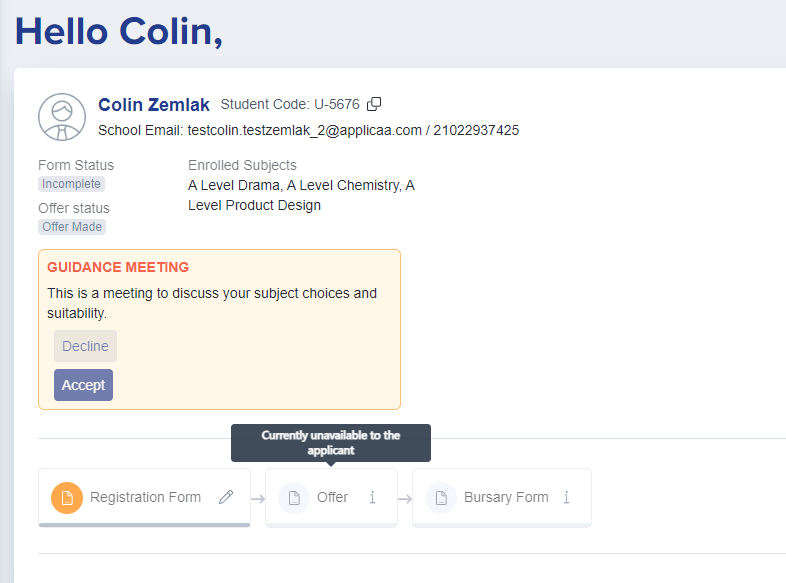
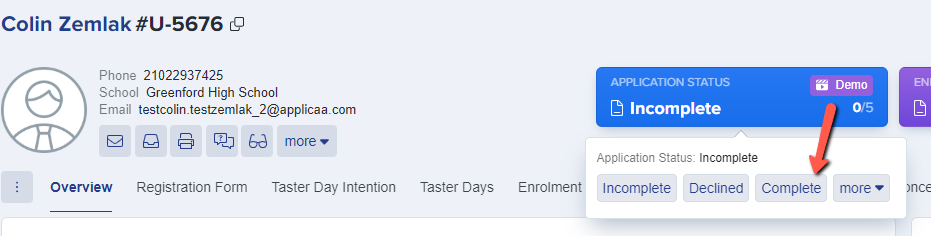
If your Offer phase is unavailable, a common cause is an earlier phase still being open/incomplete (e.g. their application is incomplete, or they have not completed their Taster Day or Meeting phase). Complete or disable the earlier phase and the offer phase will become available to the applicant.
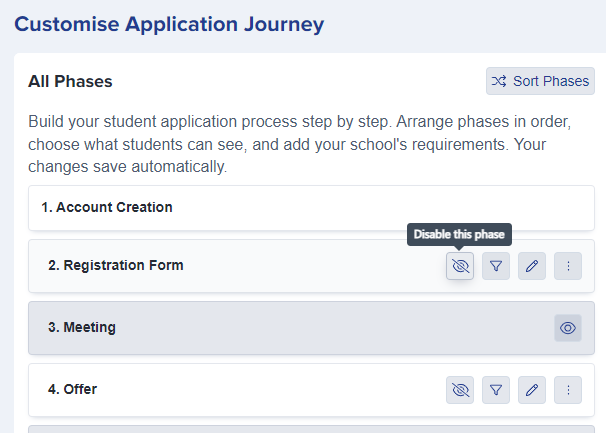
If you do not wish for your phases to depend on prior phases having been completed, you can read more about making phases standalone in this guide.
Another possibility is that you may not yet have made an offer to the applicant, meaning they are unable to respond to it. You can read more about how to send offers here.