![APPLICAA_LOGO-1024x350-4.webp]](https://helpdesk.applicaa.com/hs-fs/hubfs/APPLICAA_LOGO-1024x350-4.webp?height=50&name=APPLICAA_LOGO-1024x350-4.webp)
Adding Marketing Source to the Enquiry Form
Accessing Application Form Settings
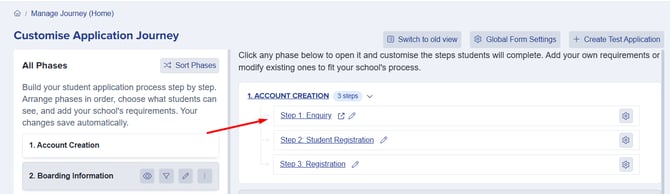
From your Admissions+ dashboard, navigate to the Application Form settings by clicking on Settings, then selecting Application Form. Under the Account Creation phase, select Enquiry to begin configuring your enquiry form.

Making Changes to Your Form
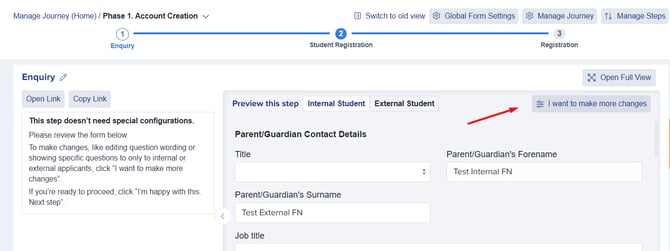
Click on 'I want to make more changes' to unlock the form editor. This will allow you to add custom questions to your enquiry form.
Selecting Your Section
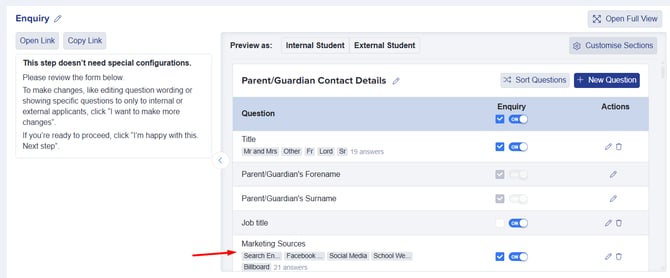
Choose the section where you'd like to add the Marketing Source question. Most schools prefer to add it to the Parent/Guardian Contact Details section, though you can add it to any section that makes sense for your form structure.
Adding the Question
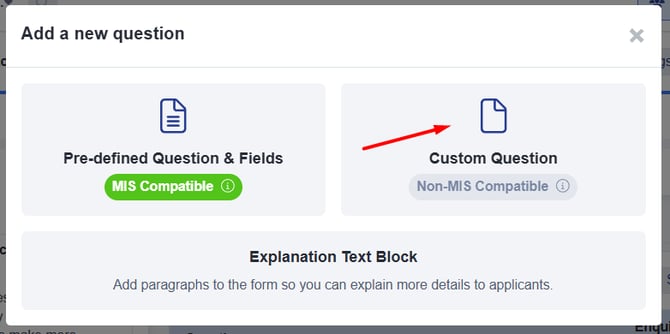
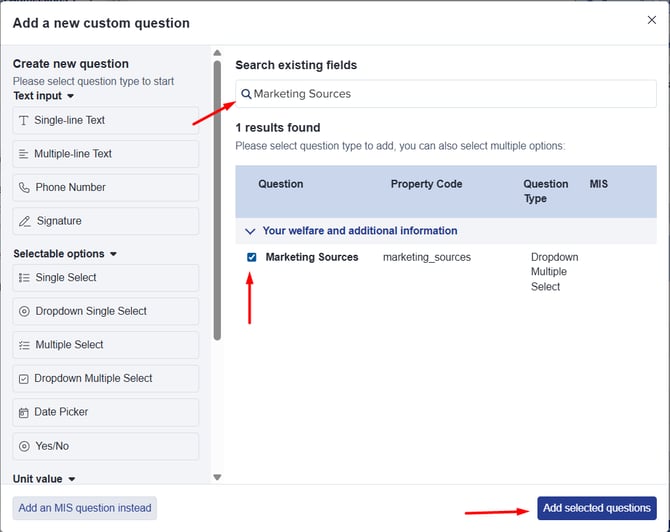
Within your chosen section, click on '+ New Question' and select 'Custom Question'. Use the search field to look for 'Marketing Sources', tick the box next to the Marketing Sources property, and click 'Add selected questions'. The question will be added at the bottom of your selected section.

Repositioning the Question
If you'd like to move the Marketing Source question to a different position within the section, you can reposition it by sorting the questions to your preferred order.

Customising Answer Choices
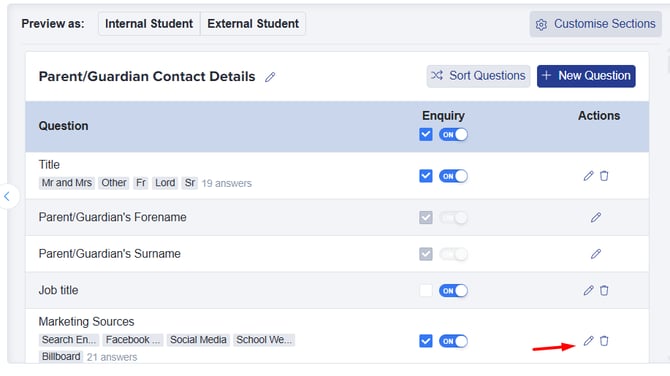
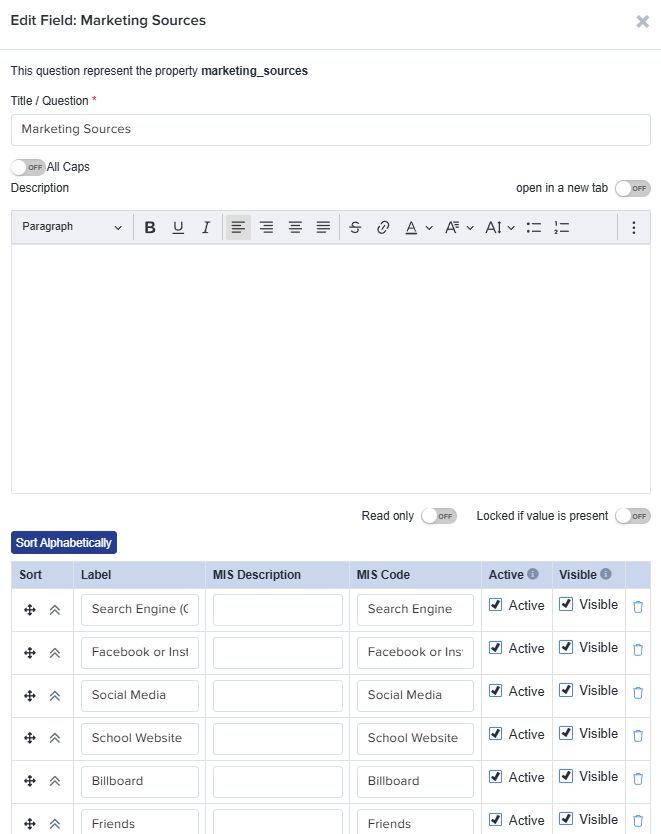
After adding the question, you're welcome to customise the available choices to match your school's specific marketing channels. Simply click the pencil button next to the Marketing Sources question, and from here you can configure the answer options to reflect your marketing activities.
Adding Marketing Source to the Registration Form
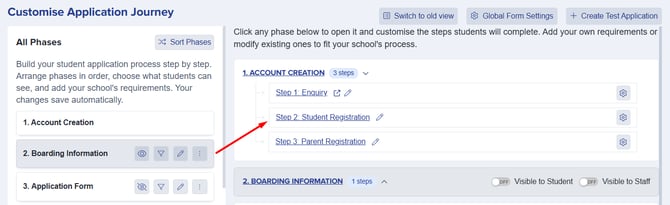
The process for adding the Marketing Source question to your Registration Form is identical to the Enquiry Form. Simply follow the same steps outlined above, but select Registration Form instead of Enquiry under the Account Creation section.
Viewing Your Data
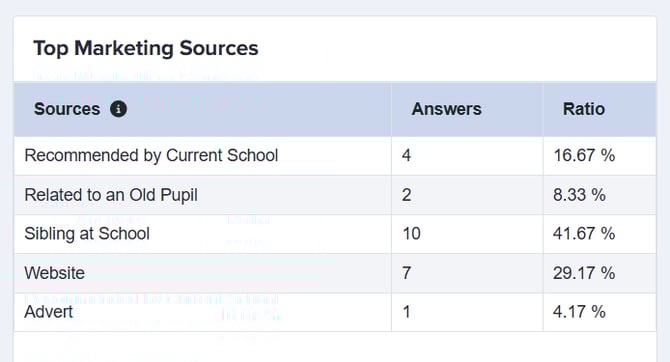
Once you've added the Marketing Source question and parents/students begin completing your forms, the collected data will automatically appear in the Insights area of your dashboard. This allows you to analyse which marketing channels are driving the most enquiries and registrations, helping you make informed decisions about your marketing strategy.
Best Practices
Make it Required - Consider making this question mandatory to ensure you collect data from all applicants and maintain comprehensive tracking.
Review Regularly - Check your marketing source data regularly to understand trends and identify which channels are performing well.
Tailor Your Choices - Customise the answer options to reflect your school's specific marketing channels, such as social media platforms, open days, word of mouth, or specific advertising campaigns. This ensures more accurate and useful tracking.