![APPLICAA_LOGO-1024x350-4.png]](https://helpdesk.applicaa.com/hs-fs/hubfs/APPLICAA_LOGO-1024x350-4.png?height=40&name=APPLICAA_LOGO-1024x350-4.png)
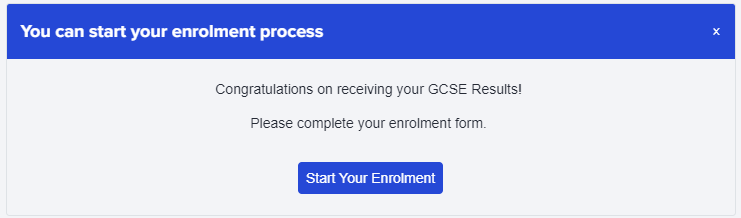
By default, this pop-up is enabled on the Enrolment Form phase of your Application Journey. It pops up automatically when applicants log in, to prompt them to complete their enrolment form once that phase is active (usually GCSE Results Day).
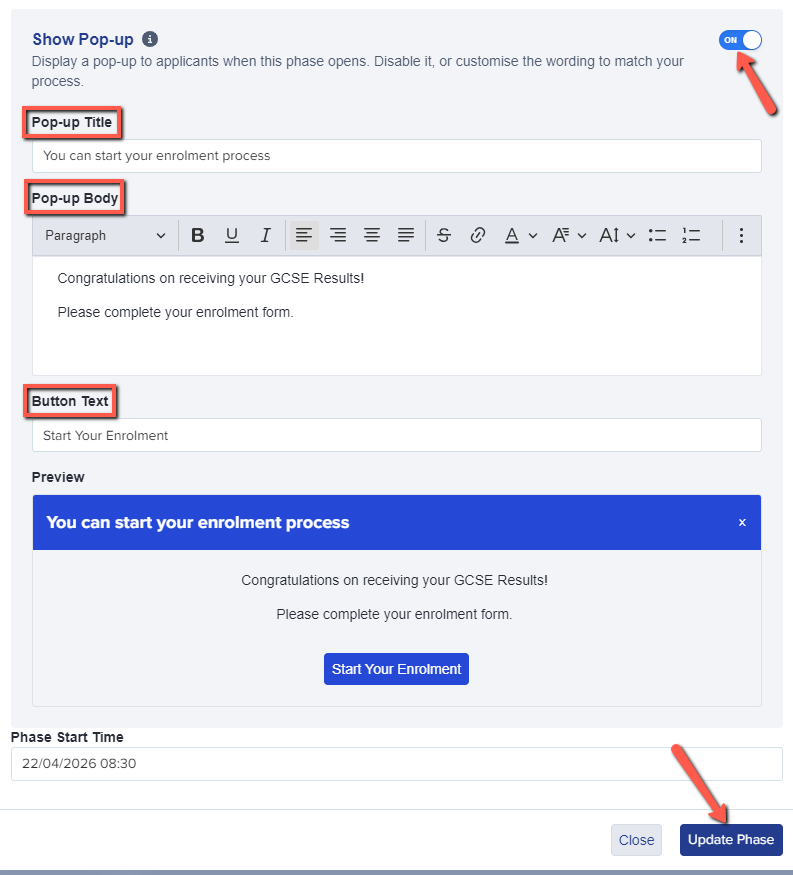
There is now the option to customise the wording of the pop-up, including the button text, or alternatively you can disable the pop-up completely if preferred.
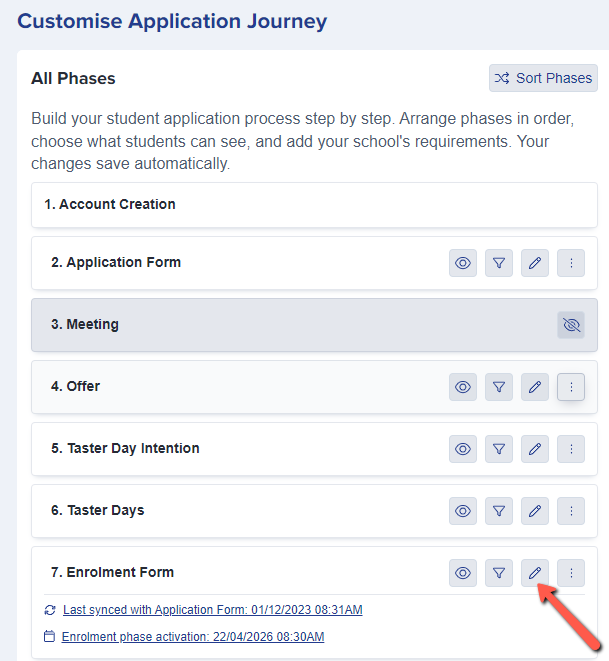
Navigate to Settings > Application Form and click the pencil icon for your Enrolment Form phase.
There, you can make your edits as desired, and click to Update Phase once you've made your changes, in order to save them.