---
title: How to Use the B+ Dashboard Features
description: This guide will introduce you to key functions of your B+ dashboard.
---
[Skip to content](https://helpdesk.applicaa.com/bursaryplus/how-to-use-the-b-dashboard-features#main-content)
English - United Kingdom
Show submenu for translations
.png?width=150&height=52&name=Applicaa%20Logos%20(2).png)
Open main navigation
Close main navigation
- English - United Kingdom
Show submenu for translations
How can we help you?
- There are no suggestions because the search field is empty.
1. [Bursary+](https://helpdesk.applicaa.com/bursaryplus?hsLang=en-gb)
2. [Getting Started](https://helpdesk.applicaa.com/bursaryplus/getting-started?hsLang=en-gb)
# How to Use the B+ Dashboard Features
## This guide will introduce you to key functions of your B+ dashboard.
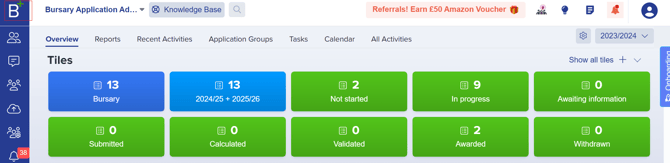
Your dashboard provides an overview of key data, including received applications, awarded bursaries, and remaining allocations.
Click the **B+ button** in the upper left corner of the screen.
### **Customising Your Dashboard**
- **Monitor Application Progress:** Use tiles/cards to track students at different bursary stages.
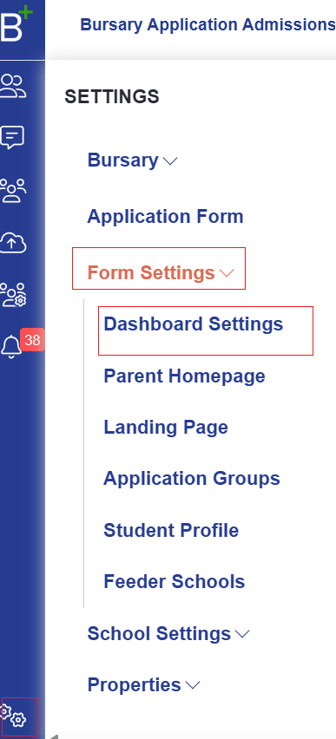
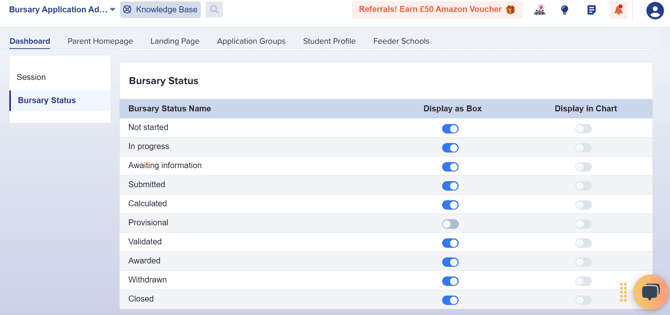
- **Manage Tiles:** Go to **Settings \> Form Settings \> Dashboard Settings** to toggle tiles on/off (changes save automatically).
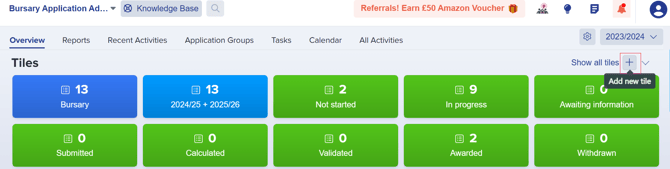
- **Create Custom Tiles:** Use the **add new tile icon (+)** on your main dashboard.
### **Managing Dashboard Widgets**
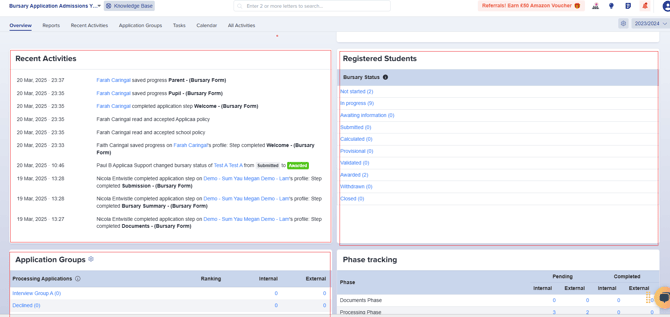
Your dashboard includes default widgets like **Registered Students**, **Recent Activities**, and **Application Groups,** which you will see as you scroll down.
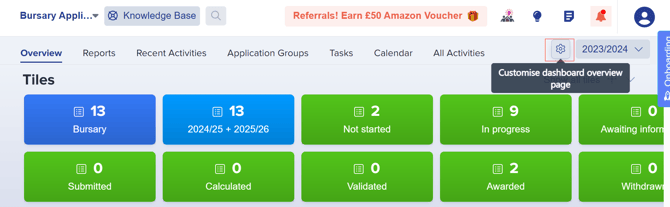
- Click the **settings cog** (top right) to adjust visibility of these widgets.
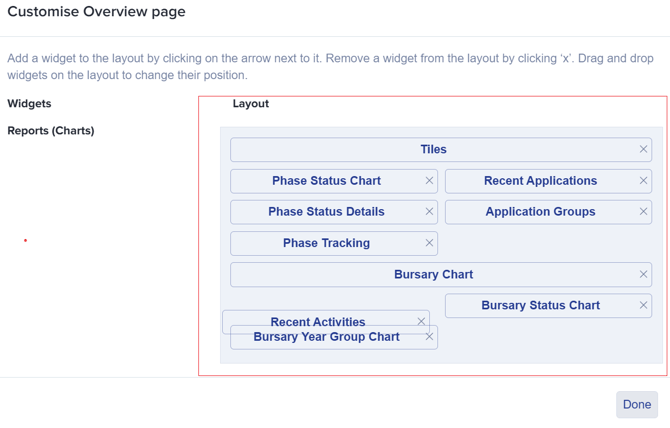
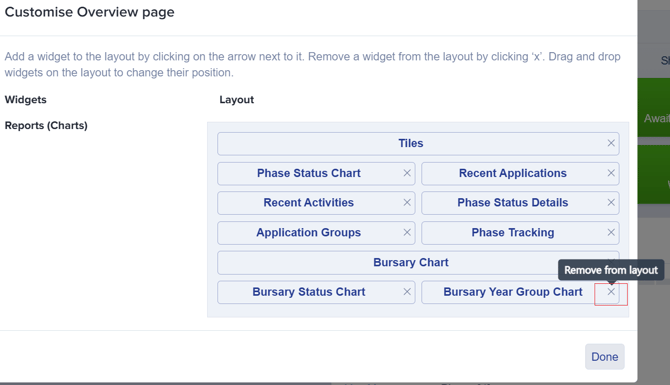
- **Drag and drop** widgets to reorder them or click **X** to remove them.
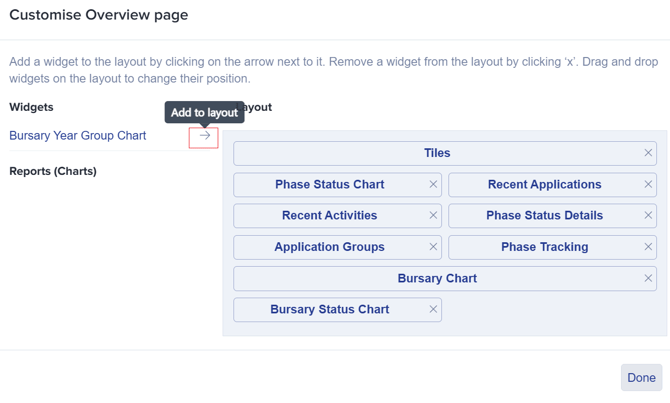
Customise your dashboard to keep the most relevant information at your fingertips!
- [Getting Started](https://helpdesk.applicaa.com/bursaryplus/getting-started?hsLang=en-gb)
- [Maintenance and Reporting](https://helpdesk.applicaa.com/bursaryplus/maintenance-and-reporting?hsLang=en-gb)
- [Bursary Settings](https://helpdesk.applicaa.com/bursaryplus/bursary-settings?hsLang=en-gb)
- [Communications and Renewals](https://helpdesk.applicaa.com/bursaryplus/communications-and-renewals?hsLang=en-gb)
[.png?width=250&height=86&name=Applicaa%20Logos%20(2).png "Applicaa Logos (2)")](http://applicaa.com)
[mailto:email@email.com](mailto:email@email.com)
Copyright © 2026, Applicaa