---
title: How to Export Student Information as a PDF in B+
description: You may need to save a copy of their bursary application form or print a paper copy for a physical file—here's how!
---
[Skip to content](https://helpdesk.applicaa.com/bursaryplus/how-to-export-student-information-as-a-pdf-in-b#main-content)
English - United Kingdom
Show submenu for translations
.png?width=150&height=52&name=Applicaa%20Logos%20(2).png)
Open main navigation
Close main navigation
- English - United Kingdom
Show submenu for translations
How can we help you?
- There are no suggestions because the search field is empty.
1. [Bursary+](https://helpdesk.applicaa.com/bursaryplus?hsLang=en-gb)
2. [Getting Started](https://helpdesk.applicaa.com/bursaryplus/getting-started?hsLang=en-gb)
# How to Export Student Information as a PDF in B+
## You may need to save a copy of their bursary application form or print a paper copy for a physical file—here's how!
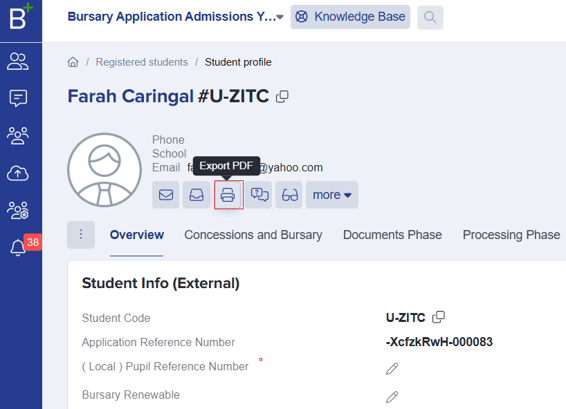
**From a student's profile,** you can export their application to a PDF **by clicking the printer icon.** This allows you to save the PDF to your computer and/or print it as needed.
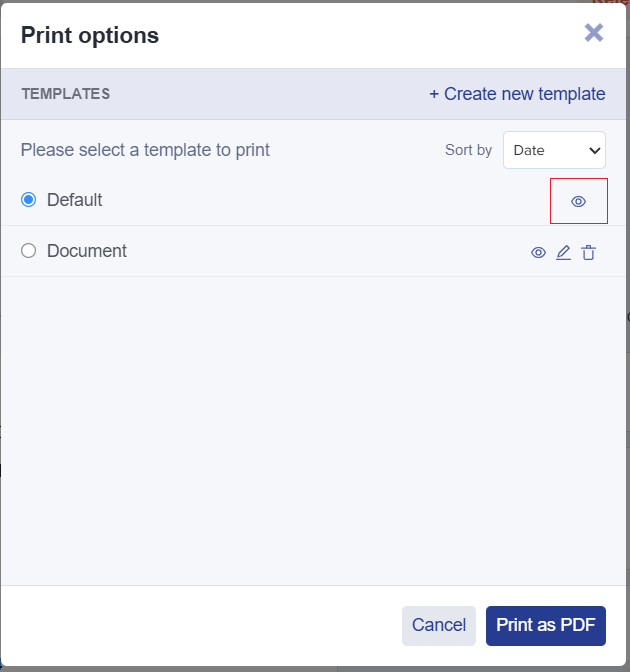
Before printing, you can click on the **preview icon** to view the default template or **create a new one.**
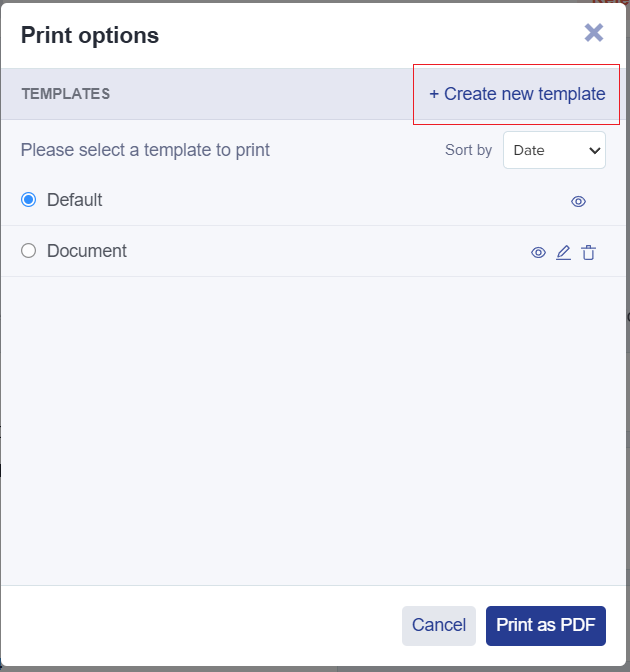
When creating a new template, you must **assign a name and tick the boxes to include the information you want in your template.** Then, click **Save.**
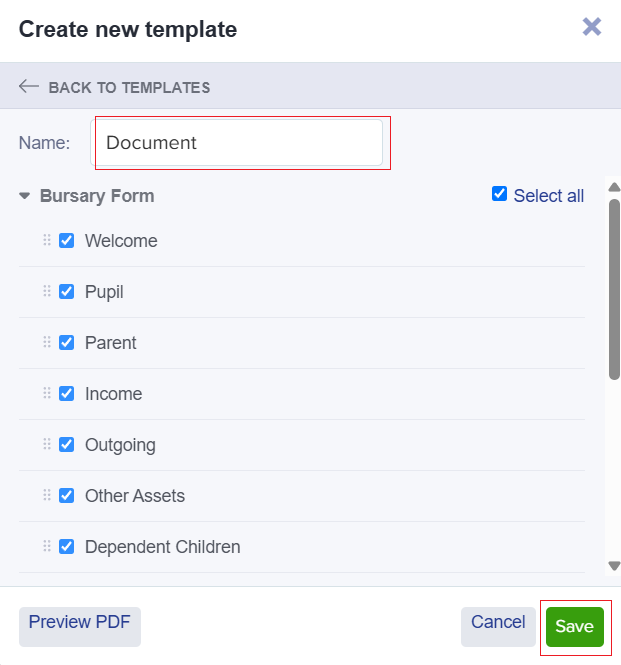
Select your **chosen template** and click **Print as PDF**.
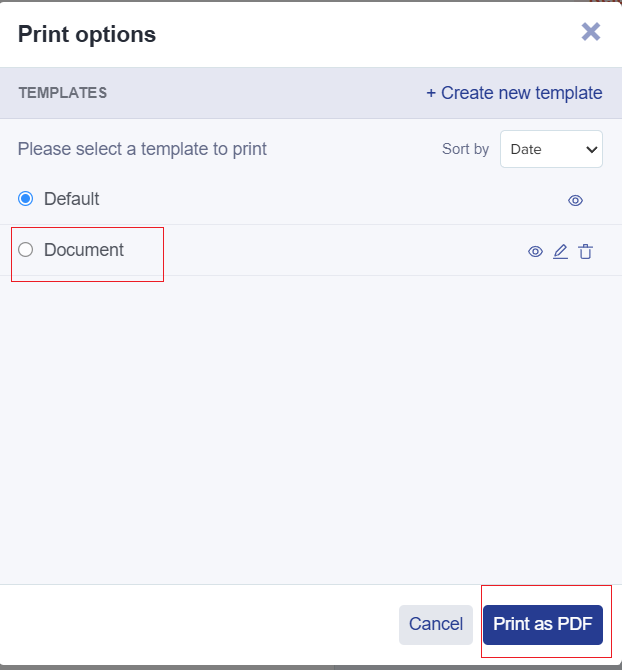
Click on **'Click here**' to save your PDF.

**Bulk Export Student Information as a PDF**
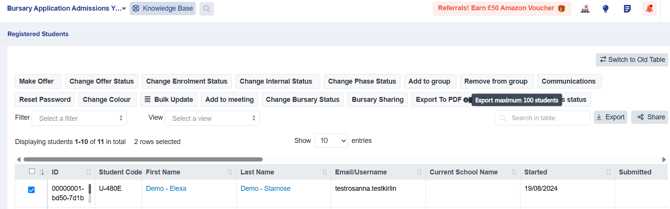
You can also export applications in **bulk**from your main dashboard by loading a list of students and selecting them using the checkboxes on the left of the table. Then, click "export to PDF" and choose whether to generate one file containing all data or separate files (one per applicant) in a zipped folder.
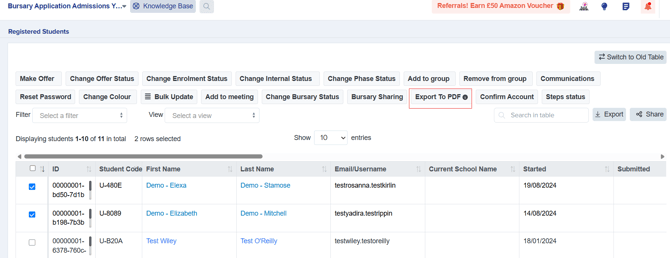
**Please note** that you can only **export up to 100 students at a time**
- [Getting Started](https://helpdesk.applicaa.com/bursaryplus/getting-started?hsLang=en-gb)
- [Maintenance and Reporting](https://helpdesk.applicaa.com/bursaryplus/maintenance-and-reporting?hsLang=en-gb)
- [Bursary Settings](https://helpdesk.applicaa.com/bursaryplus/bursary-settings?hsLang=en-gb)
- [Communications and Renewals](https://helpdesk.applicaa.com/bursaryplus/communications-and-renewals?hsLang=en-gb)
[.png?width=250&height=86&name=Applicaa%20Logos%20(2).png "Applicaa Logos (2)")](http://applicaa.com)
[mailto:email@email.com](mailto:email@email.com)
Copyright © 2026, Applicaa