---
title: Guide to Adding and Editing Questions in B+
description: This guide will show you how to add and edit questions in your bursary form.
---
[Skip to content](https://helpdesk.applicaa.com/bursaryplus/guide-to-adding-and-editing-questions-in-b#main-content)
English - United Kingdom
Show submenu for translations
.png?width=150&height=52&name=Applicaa%20Logos%20(2).png)
Open main navigation
Close main navigation
- English - United Kingdom
Show submenu for translations
How can we help you?
- There are no suggestions because the search field is empty.
1. [Bursary+](https://helpdesk.applicaa.com/bursaryplus?hsLang=en-gb)
2. [Getting Started](https://helpdesk.applicaa.com/bursaryplus/getting-started?hsLang=en-gb)
# Guide to Adding and Editing Questions in B+
## This guide will show you how to add and edit questions in your bursary form.
Allowing you to customise it according to your needs, the form has already been tailored for your specific entry/intake point and includes all the questions required for data transfer to your school's MIS system.
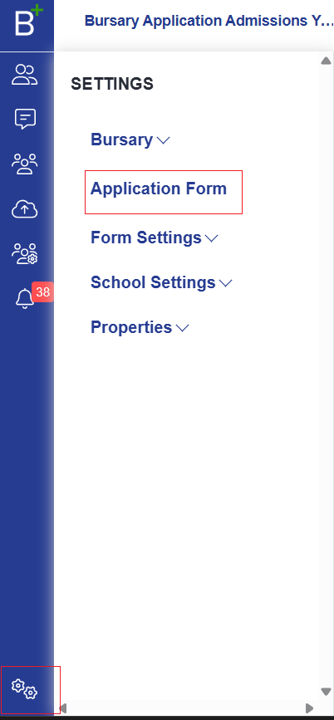
To make changes to your form, navigate to **Settings \> Application Form**.
Below is a screenshot showing the **Application Form - Step View**.
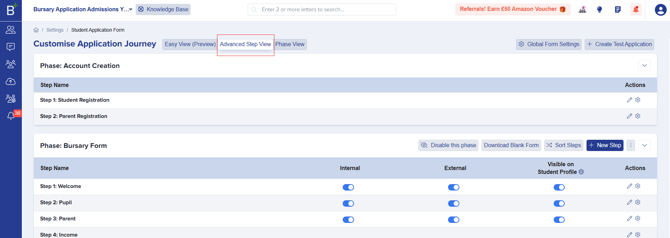
**Editing Questions in the Application Form**
- In the **Actions** column, click the icon next to the pencil button.
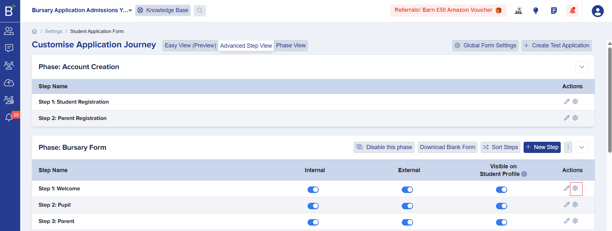
- Within these settings, you can:
- Remove existing questions.
- Add new questions.
- Set questions as **optional** or **mandatory**.
- Make questions visible to only **internal** or **external** students, or both.
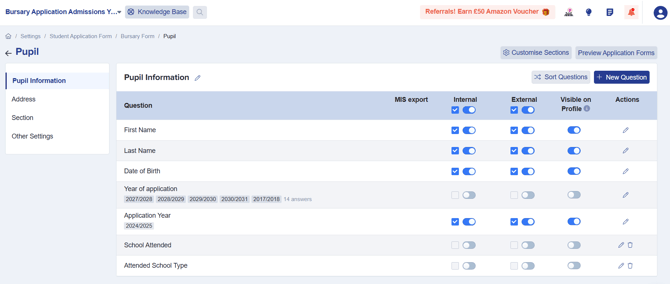
Each step in the form contains sections that group related questions. For example, **Step 2** includes sections for pupil information and address.
**Understanding Internal and External Students**
- **Internal students**: Students already enrolled in your MIS.
- **External students**: Those who are not yet enrolled.
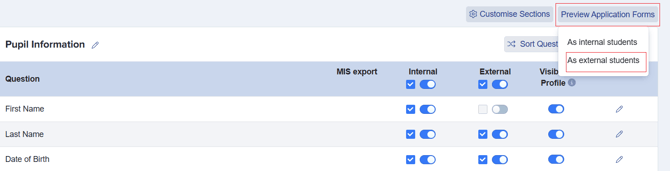
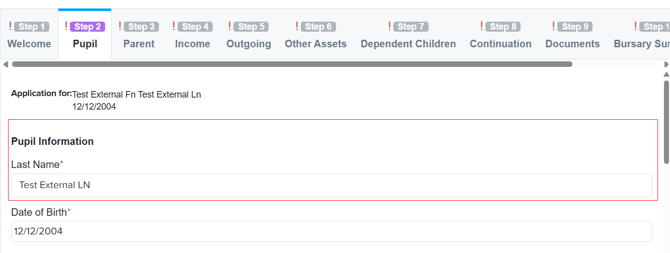
If you disable a question **(toggle it off)** for *external students* and refresh the page, that question will no longer be visible in the **Preview Application Form (external students' view).**

Preview: **"First Name"** field is hidden for external students, it will not appear in their form.
**Making a Question Mandatory**
To make a question required:
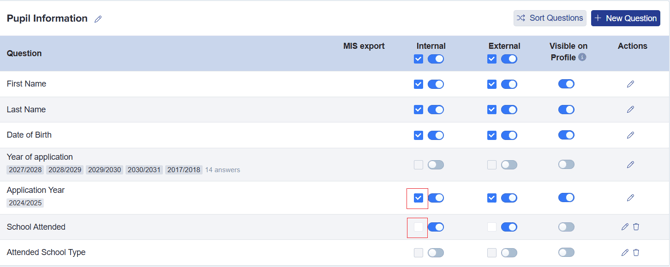
- Tick the checkbox for **Internal**, **External**, or both.
- Leave it unticked if the question is optional.
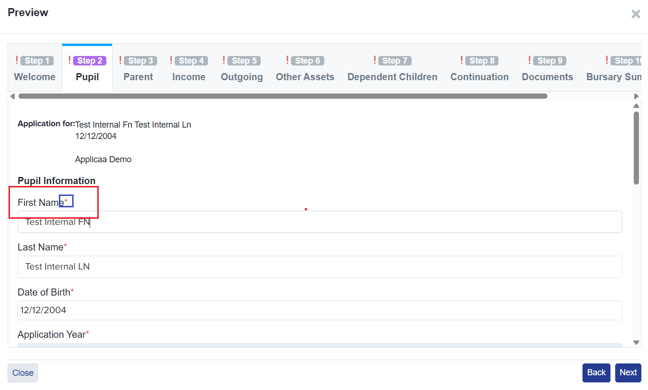
Mandatory questions are marked with a **red asterisk** (\*).
**Adding New Questions to the Application Form**
You can also add new questions to the application form. If you remove a question, you can restore it by clicking the "+ New Question" button.
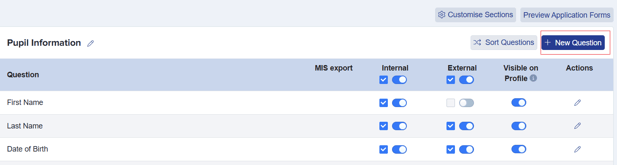
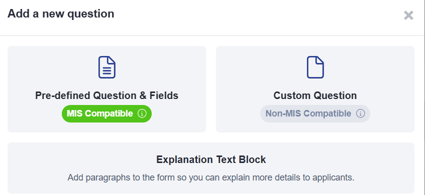
You can:
- Search for existing properties (predefined questions).
- Create brand-new custom questions if the property doesn’t already exist.
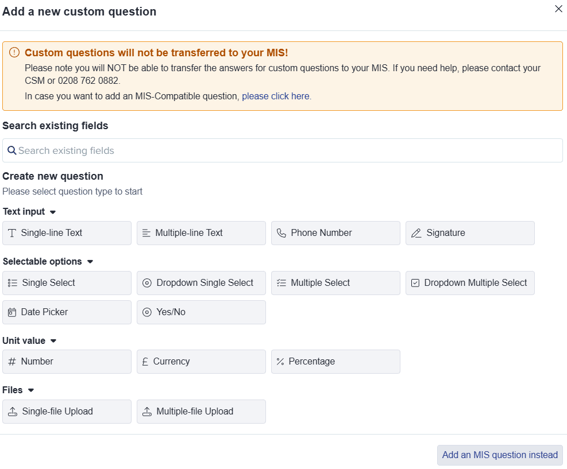
**Adding a Custom Question**
For custom questions, you can choose different data types, including:
- Text
- Number
- Currency
- Date
- Other predefined formats
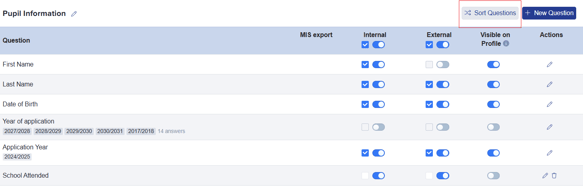
Once you create a new question, you can:
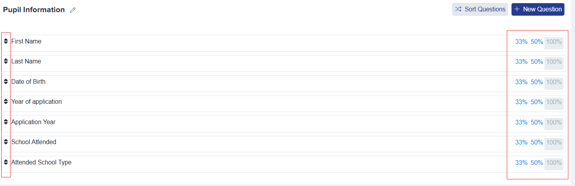
- Use the "**Sort Questions**" feature to arrange the questions in the correct order.
- Adjust the question width (e.g., **100%**, **50%**, or **33%** of the form).
- [Getting Started](https://helpdesk.applicaa.com/bursaryplus/getting-started?hsLang=en-gb)
- [Maintenance and Reporting](https://helpdesk.applicaa.com/bursaryplus/maintenance-and-reporting?hsLang=en-gb)
- [Bursary Settings](https://helpdesk.applicaa.com/bursaryplus/bursary-settings?hsLang=en-gb)
- [Communications and Renewals](https://helpdesk.applicaa.com/bursaryplus/communications-and-renewals?hsLang=en-gb)
[.png?width=250&height=86&name=Applicaa%20Logos%20(2).png "Applicaa Logos (2)")](http://applicaa.com)
[mailto:email@email.com](mailto:email@email.com)
Copyright © 2026, Applicaa