---
title: How to export data from B16+ as a CSV
description: This guide will show how you can export information from the Bursary16+ system into a spreadsheet that you can then use to import the information into other systems or retain for your records.
---
[Skip to content](https://helpdesk.applicaa.com/b16/how-to-export-data-from-b16-as-a-csv#main-content)
English
Show submenu for translations
[.png?width=200&height=69&name=Applicaa%20Logos%20(2).png)](https://www.applicaa.com)
Open main navigation
Close main navigation
- English
Show submenu for translations
How can we help you?
- There are no suggestions because the search field is empty.
1. [Bursary 16+](https://helpdesk.applicaa.com/b16?hsLang=en)
2. [Managing Data](https://helpdesk.applicaa.com/b16/managing-data?hsLang=en)
# How to export data from B16+ as a CSV
## This guide will show how you can export information from the Bursary16+ system into a spreadsheet that you can then use to import the information into other systems or retain for your records.
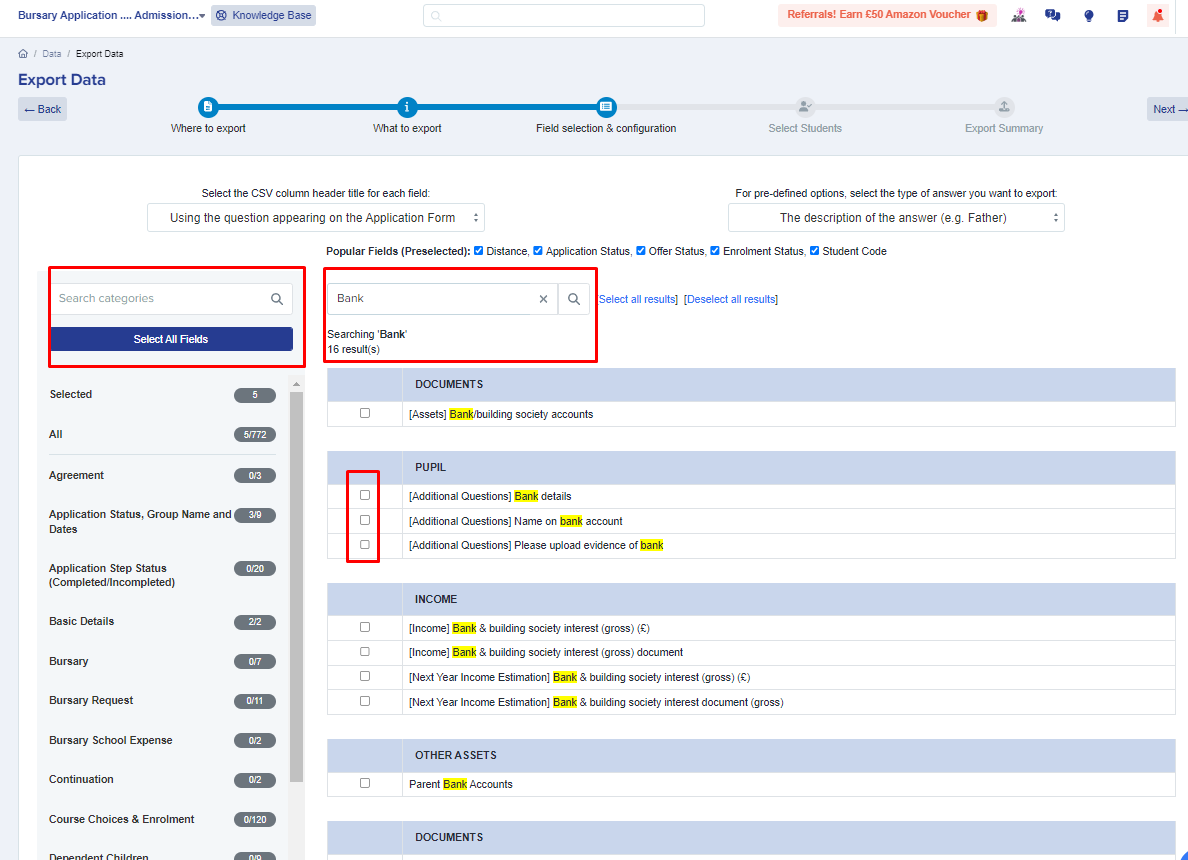
For example, you'd like to export all the bank information of the students for payment purposes.
From your main dashboard, click on **Data**, select **Export**, and click on **Start an Export** located on the right hand side of the page.


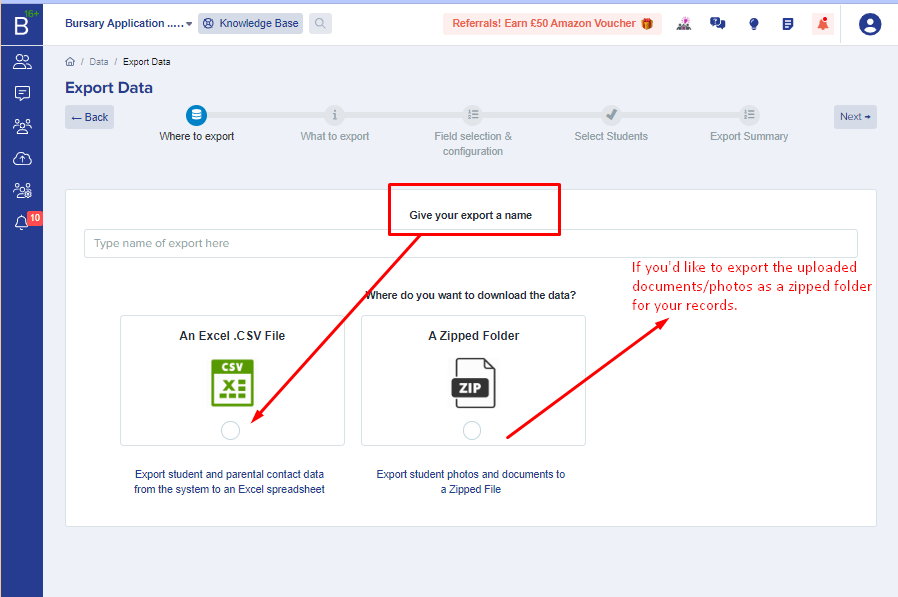
Give you export a **name**, select **CSV**, and click **Next**.
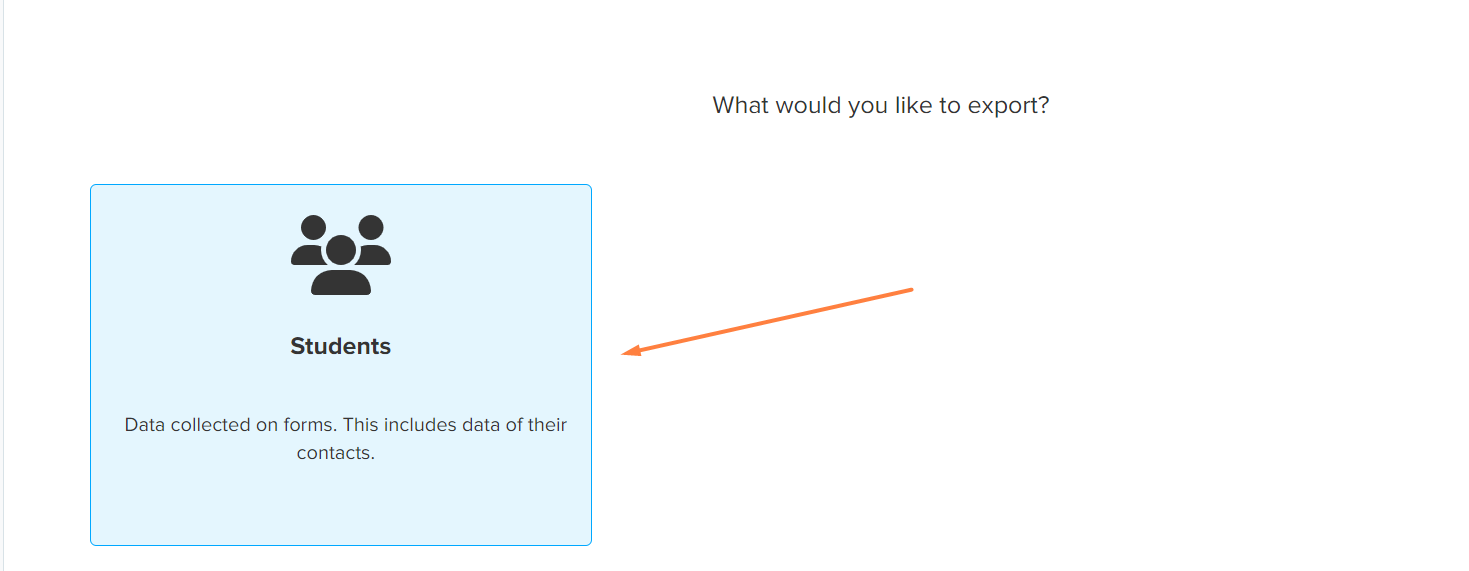
Select **Students** and click **Next**.
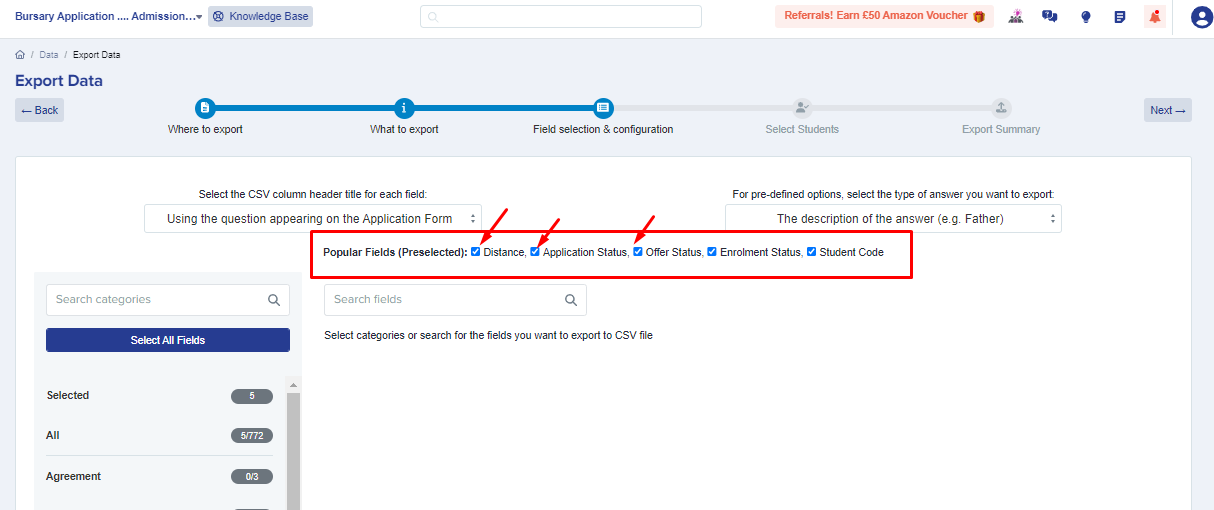
Select the fields you wish to include in the export and click **Next**. You can search for specific fields or look through each section, and select as many items as required.
**Note: Some properties are pre-selected for you. You have the option to uncheck them across the top.**
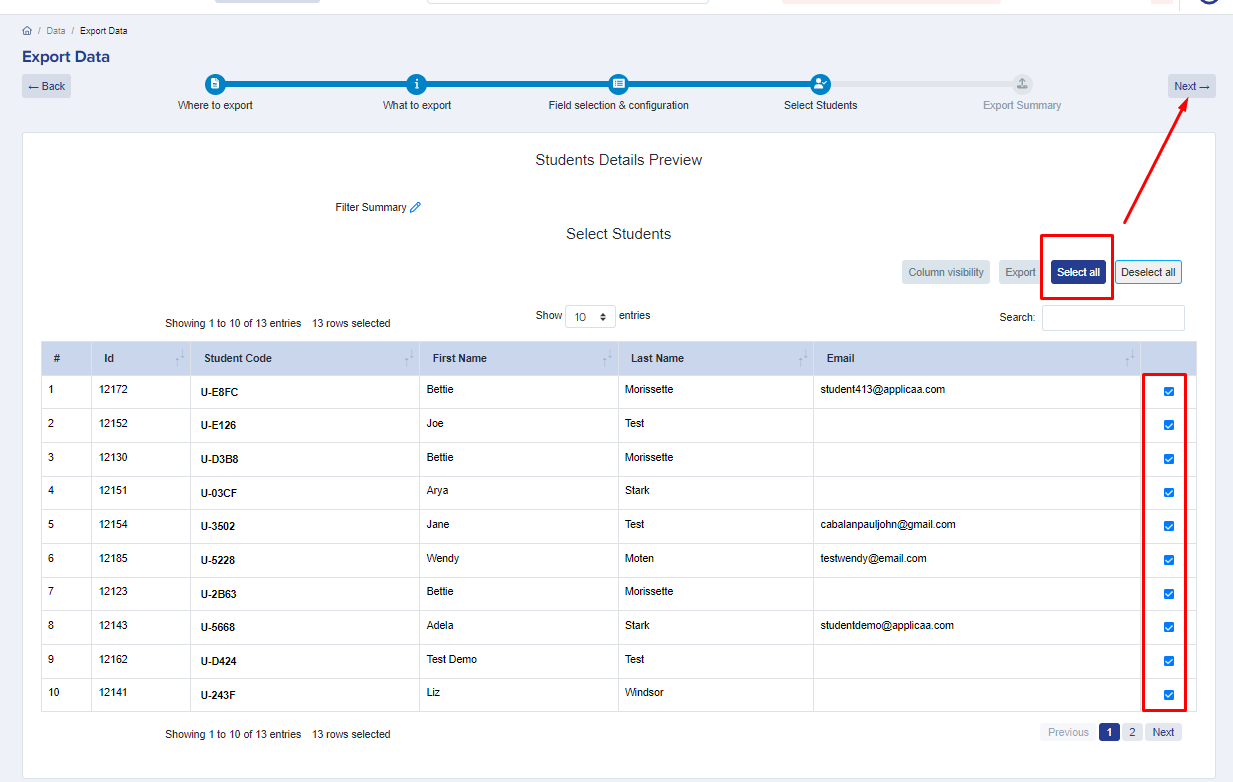
You will then see the list of students who will be included in the export. You may click on **'select all'** button or just select a handful of students as needed using the checkboxes.
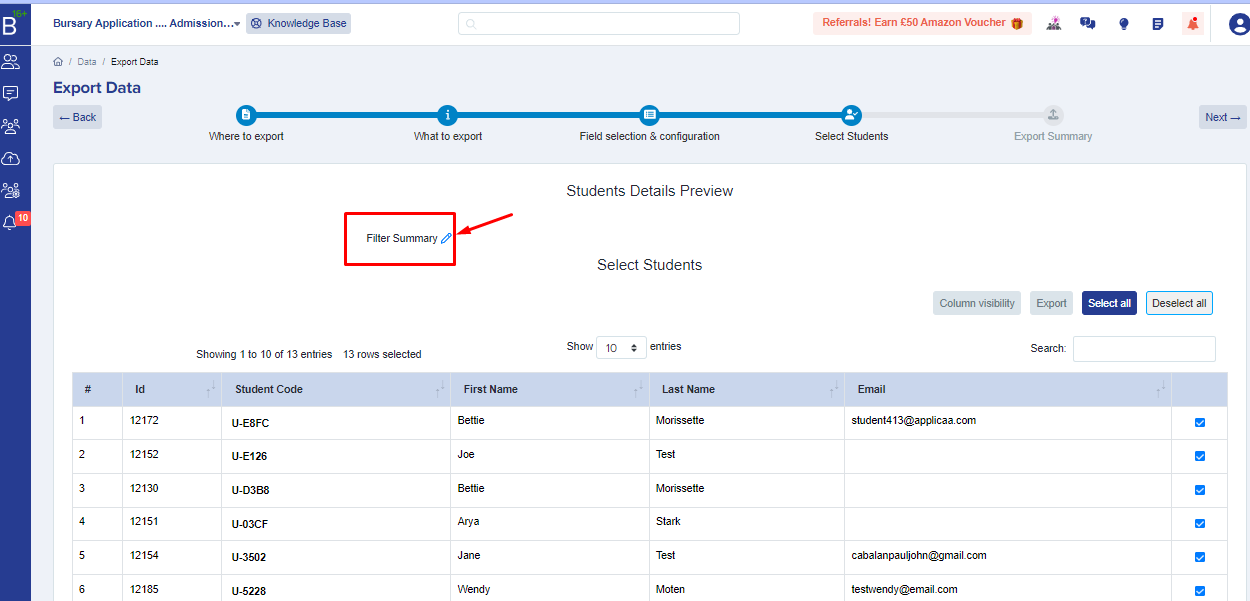
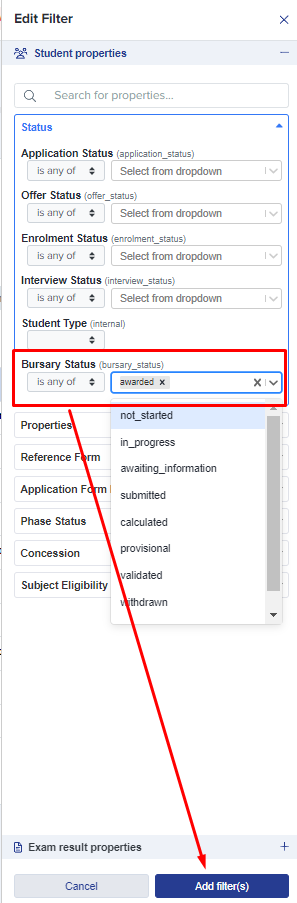
You may also filter this list to export only a selection of your applicants, if you need to narrow the export to a particular group. To do so, click on the filter summary pencil icon and use the filtering functionality.
 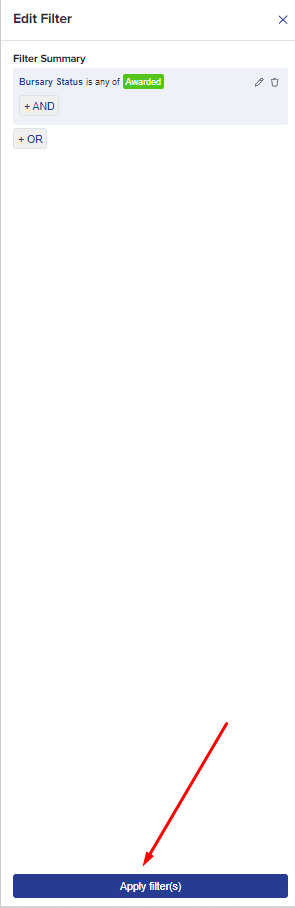
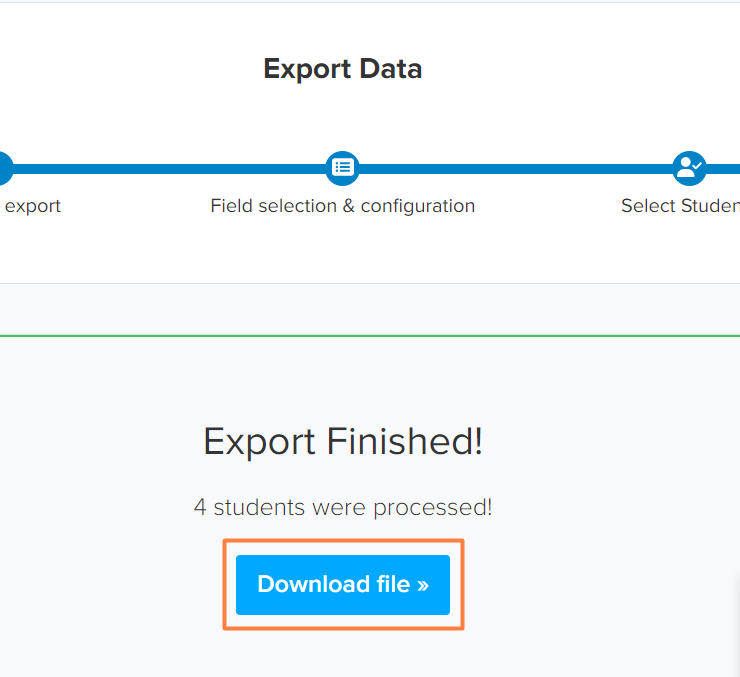
Proceed to complete the export, and once the export is done, save the file by clicking on **Download file.**
- [Getting started](https://helpdesk.applicaa.com/b16/getting-started?hsLang=en)
- [Your Second Cycle and Beyond](https://helpdesk.applicaa.com/b16/your-second-cycle-and-beyond?hsLang=en)
- [Student Requests & School Expenses](https://helpdesk.applicaa.com/b16/student-requests-school-expenses?hsLang=en)
- [Staff and Student Settings](https://helpdesk.applicaa.com/b16/staff-and-student-settings?hsLang=en)
- [Managing Data](https://helpdesk.applicaa.com/b16/managing-data?hsLang=en)
- [Checks, Troubleshooting & Go-Live](https://helpdesk.applicaa.com/b16/checks-troubleshooting-go-live?hsLang=en)
[.png?width=250&height=86&name=Applicaa%20Logos%20(2).png "Applicaa Logos (2)")](http://applicaa.com)
[mailto:email@email.com](mailto:email@email.com)
Copyright © 2026, Applicaa