---
title: How to check a student's submitted Bursary Application
description: This article shows you how you may review the bursary application once a student has completed/submitted it.
---
[Skip to content](https://helpdesk.applicaa.com/b16/how-to-check-a-students-submitted-bursary-application#main-content)
English
Show submenu for translations
[.png?width=200&height=69&name=Applicaa%20Logos%20(2).png)](https://www.applicaa.com)
Open main navigation
Close main navigation
- English
Show submenu for translations
How can we help you?
- There are no suggestions because the search field is empty.
1. [Bursary 16+](https://helpdesk.applicaa.com/b16?hsLang=en)
2. [Managing Data](https://helpdesk.applicaa.com/b16/managing-data?hsLang=en)
# How to check a student's submitted Bursary Application
## This article shows you how you may review the bursary application once a student has completed/submitted it.
Once students are able to complete their bursary application you will be able to check them by going to their profile - You may do so by searching for a particular student or going to the list of students via the dashboards.
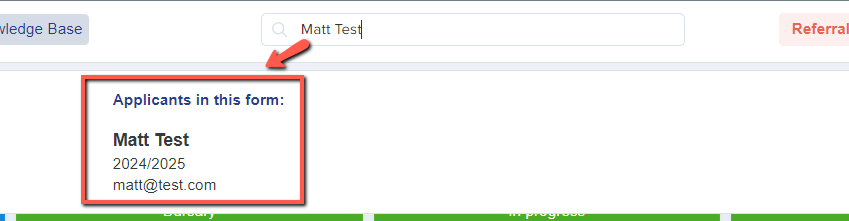
If you choose to search for a student, you may do so by using the search bar at the middle top part of the system.

If you type in a student's name it'll give you the students name and email and if you click on it and it'll bring you to the student's profile.
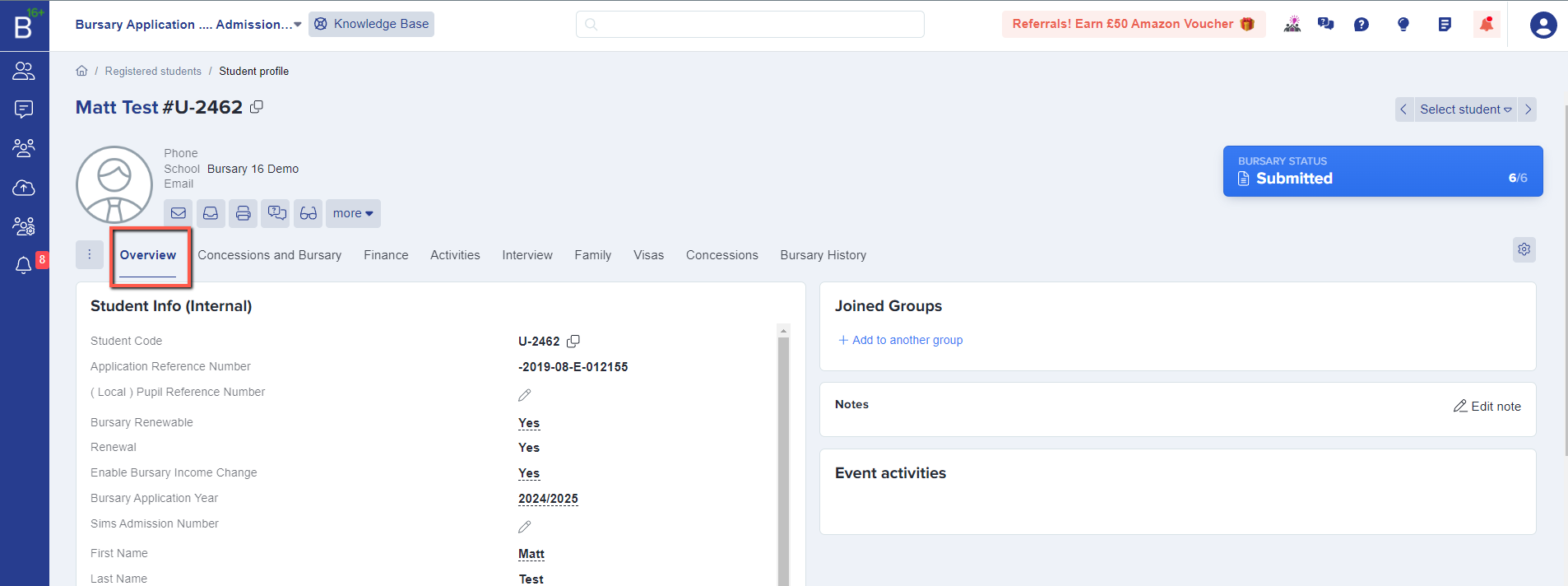
The student profile will have an overview which has the student's basic information that you might need.
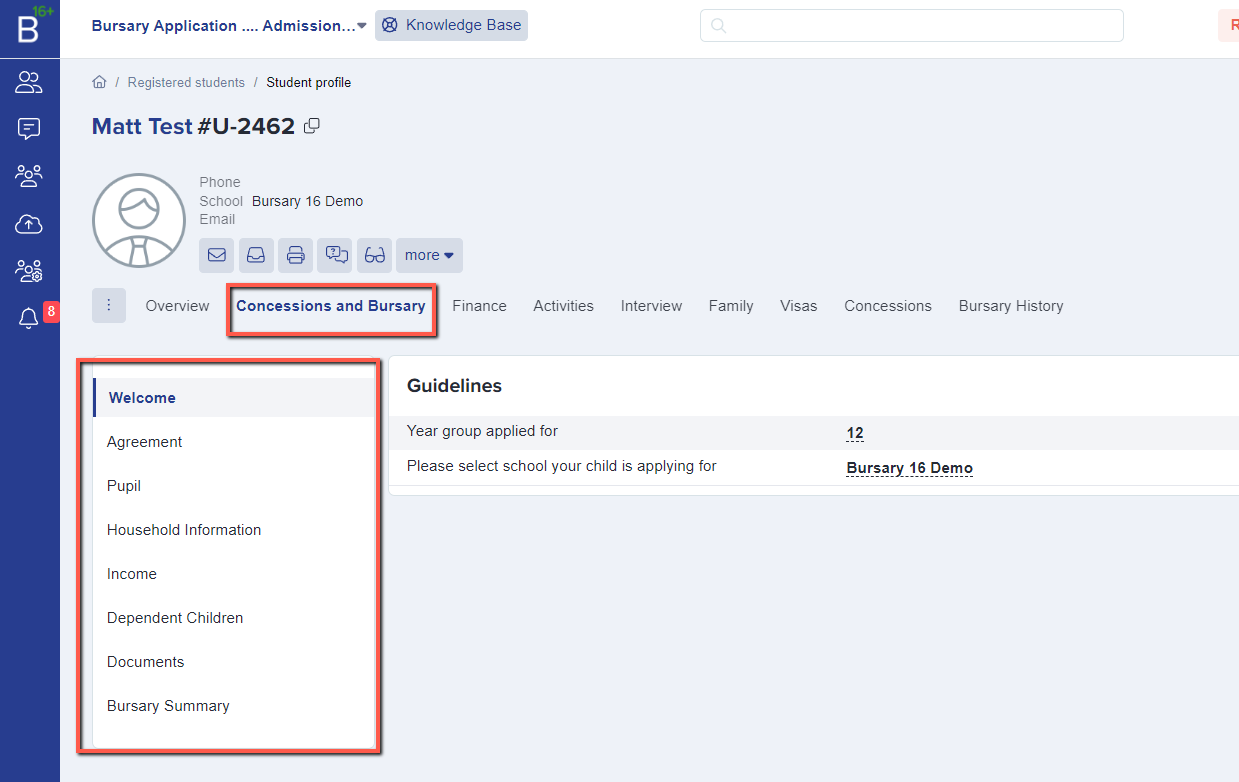
But to check further you may click on "Concession and Bursary and see all the form steps they've gone through and the answers they have provided.
You also have the option to get to a student's profile by going via the dashboard area - if you'd want to review only those that have submitted the application, Click on the "submitted application" and it will show you a list of students that have completed the bursary form, then clicking on the student's name will bring you to the students profile.
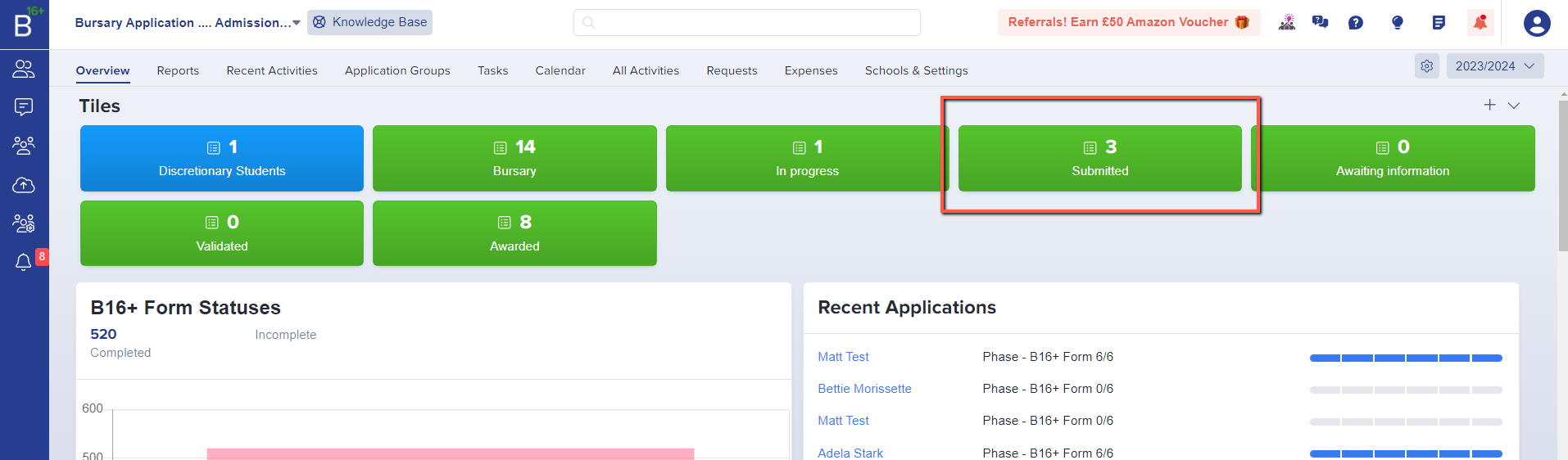
The student's name is a hyperlink that will show you the student's profile as well.

- [Getting started](https://helpdesk.applicaa.com/b16/getting-started?hsLang=en)
- [Your Second Cycle and Beyond](https://helpdesk.applicaa.com/b16/your-second-cycle-and-beyond?hsLang=en)
- [Student Requests & School Expenses](https://helpdesk.applicaa.com/b16/student-requests-school-expenses?hsLang=en)
- [Staff and Student Settings](https://helpdesk.applicaa.com/b16/staff-and-student-settings?hsLang=en)
- [Managing Data](https://helpdesk.applicaa.com/b16/managing-data?hsLang=en)
- [Checks, Troubleshooting & Go-Live](https://helpdesk.applicaa.com/b16/checks-troubleshooting-go-live?hsLang=en)
[.png?width=250&height=86&name=Applicaa%20Logos%20(2).png "Applicaa Logos (2)")](http://applicaa.com)
[mailto:email@email.com](mailto:email@email.com)
Copyright © 2026, Applicaa