---
title: How to add bursary FAQs for students
description: This guide will show you how to add Frequently Asked Questions in your Bursary16+ platform.
---
[Skip to content](https://helpdesk.applicaa.com/b16/how-to-add-bursary-faqs-for-students#main-content)
English
Show submenu for translations
[.png?width=200&height=69&name=Applicaa%20Logos%20(2).png)](https://www.applicaa.com)
Open main navigation
Close main navigation
- English
Show submenu for translations
How can we help you?
- There are no suggestions because the search field is empty.
1. [Bursary 16+](https://helpdesk.applicaa.com/b16?hsLang=en)
2. [Getting started](https://helpdesk.applicaa.com/b16/getting-started?hsLang=en)
# How to add bursary FAQs for students
## This guide will show you how to add Frequently Asked Questions in your Bursary16+ platform.
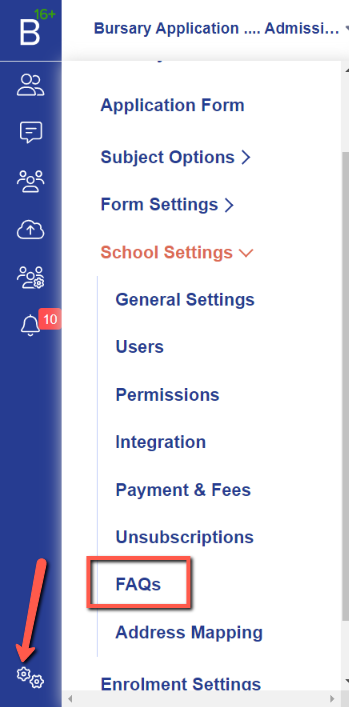
First, login to your system and navigate to **settings \> school settings \> FAQs**.
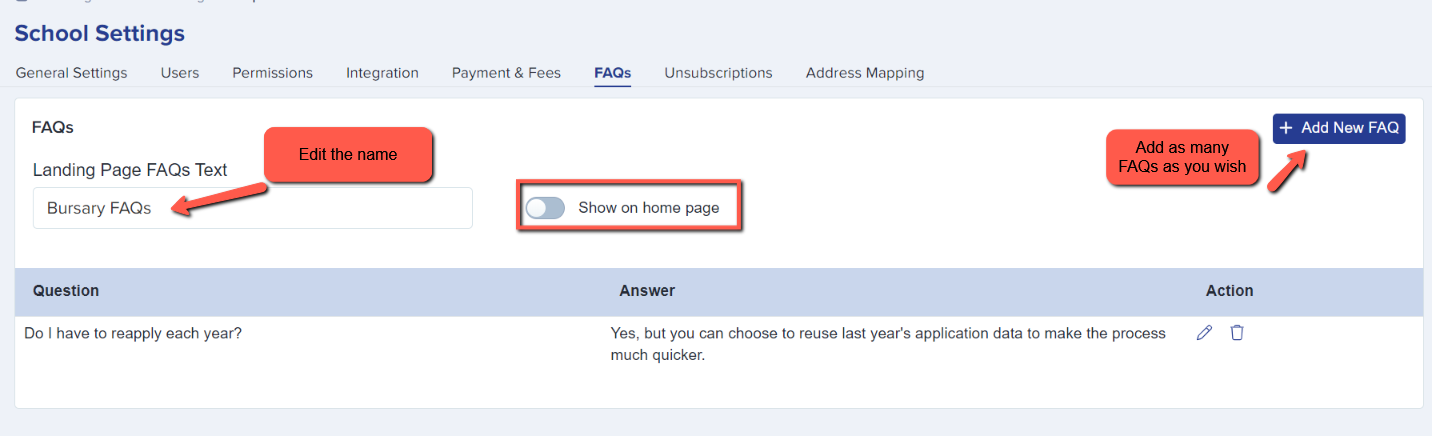
In this area, you will be able to input the title of the FAQs, and have the option to show the FAQs on the homepage for your prospective students to see when logging in.
****

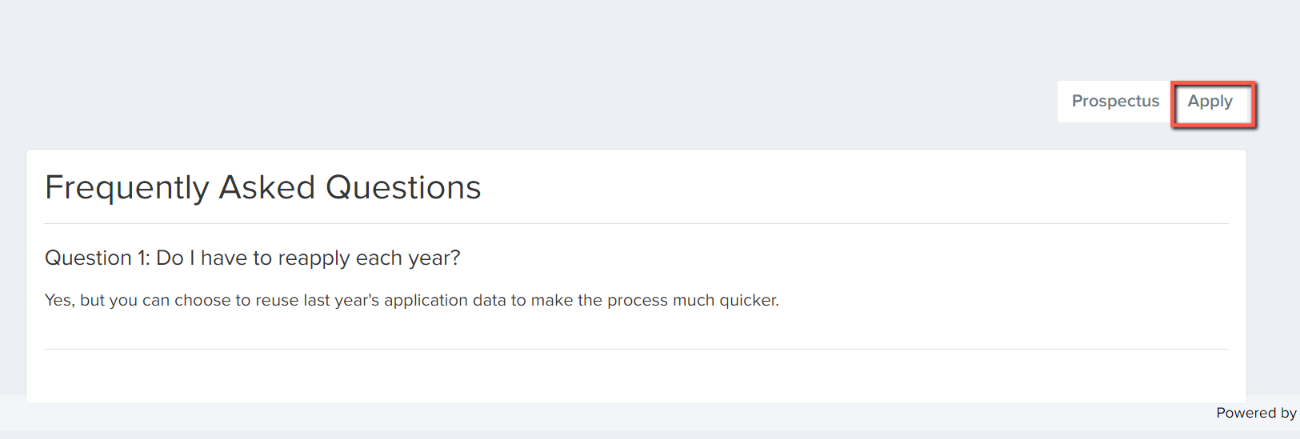
Once they have read the FAQs, they can follow the link to apply for the bursary.
- [Getting started](https://helpdesk.applicaa.com/b16/getting-started?hsLang=en)
- [Your Second Cycle and Beyond](https://helpdesk.applicaa.com/b16/your-second-cycle-and-beyond?hsLang=en)
- [Student Requests & School Expenses](https://helpdesk.applicaa.com/b16/student-requests-school-expenses?hsLang=en)
- [Staff and Student Settings](https://helpdesk.applicaa.com/b16/staff-and-student-settings?hsLang=en)
- [Managing Data](https://helpdesk.applicaa.com/b16/managing-data?hsLang=en)
- [Checks, Troubleshooting & Go-Live](https://helpdesk.applicaa.com/b16/checks-troubleshooting-go-live?hsLang=en)
[.png?width=250&height=86&name=Applicaa%20Logos%20(2).png "Applicaa Logos (2)")](http://applicaa.com)
[mailto:email@email.com](mailto:email@email.com)
Copyright © 2026, Applicaa