---
title: How to add a pop-up message on your bursary application form landing page
description: This article will show you how you can add a pop-up message or announcement on the Landing Page for your Bursary 16+ platform
---
[Skip to content](https://helpdesk.applicaa.com/b16/how-to-add-a-pop-up-message-on-your-bursary-application-form-landing-page#main-content)
English
Show submenu for translations
[.png?width=200&height=69&name=Applicaa%20Logos%20(2).png)](https://www.applicaa.com)
Open main navigation
Close main navigation
- English
Show submenu for translations
How can we help you?
- There are no suggestions because the search field is empty.
1. [Bursary 16+](https://helpdesk.applicaa.com/b16?hsLang=en)
2. [Getting started](https://helpdesk.applicaa.com/b16/getting-started?hsLang=en)
# How to add a pop-up message on your bursary application form landing page
## This article will show you how you can add a pop-up message or announcement on the Landing Page for your Bursary 16+ platform
You may wish to add a pop-up to tell students when the application cycle will open, or remind them of your deadline, for example.
The pop-up notification is the first thing they will see when they visit your site, so it catches their attention.
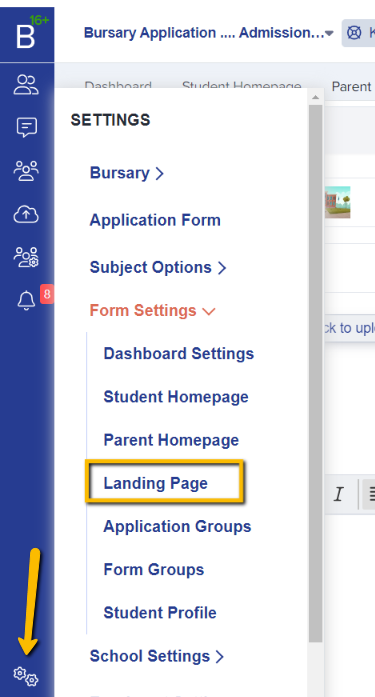
**Go to 'Settings \> Form Settings \> Landing page:**
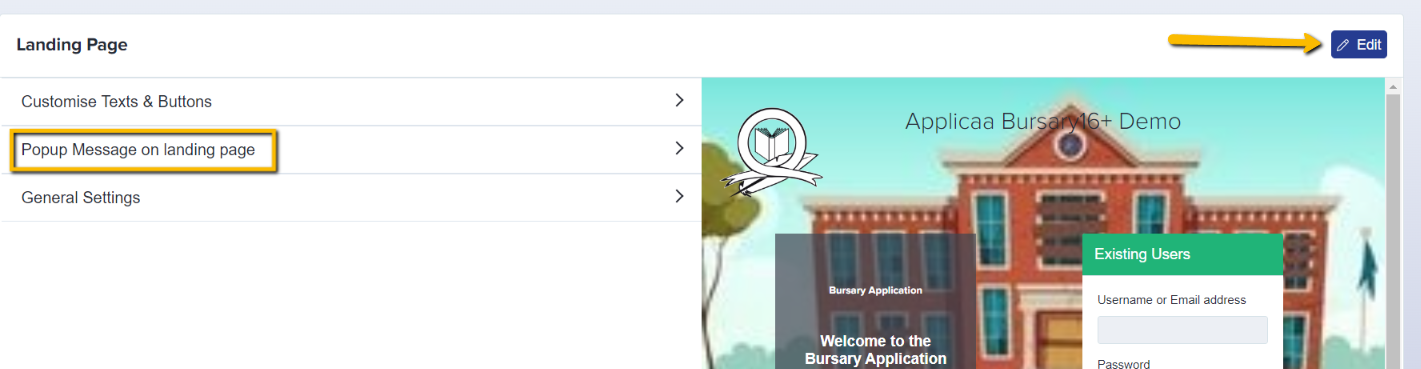
Click "**edit**" on the right hand side, and then scroll to the '**Popup Message on Landing Page**' section.
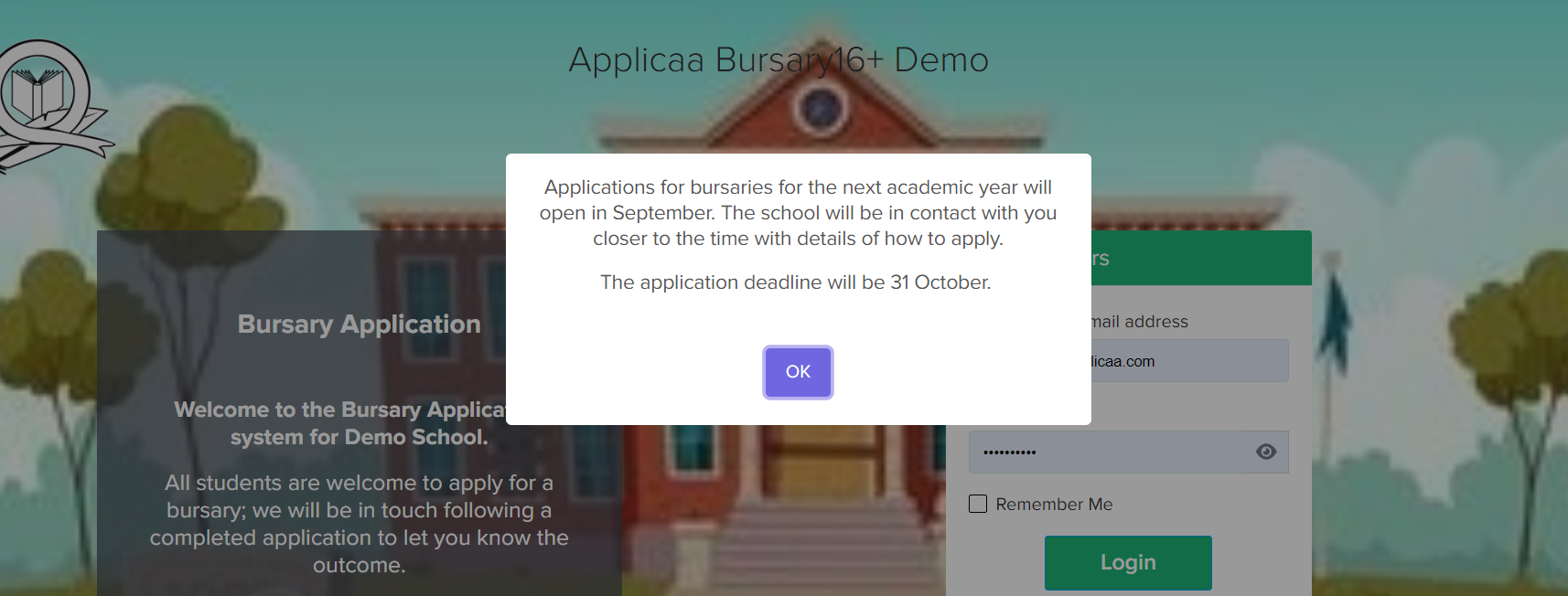
You can customise your message under the '**Message Content**' and when you're happy to publish/show on your landing page, toggle on the '**Enable Popup Message on Landing page**.'

You may logout of your system and/or copy your URL into another browser or incognito window to see the changes made. Your pop-up will show when the landing page loads.
- [Getting started](https://helpdesk.applicaa.com/b16/getting-started?hsLang=en)
- [Your Second Cycle and Beyond](https://helpdesk.applicaa.com/b16/your-second-cycle-and-beyond?hsLang=en)
- [Student Requests & School Expenses](https://helpdesk.applicaa.com/b16/student-requests-school-expenses?hsLang=en)
- [Staff and Student Settings](https://helpdesk.applicaa.com/b16/staff-and-student-settings?hsLang=en)
- [Managing Data](https://helpdesk.applicaa.com/b16/managing-data?hsLang=en)
- [Checks, Troubleshooting & Go-Live](https://helpdesk.applicaa.com/b16/checks-troubleshooting-go-live?hsLang=en)
[.png?width=250&height=86&name=Applicaa%20Logos%20(2).png "Applicaa Logos (2)")](http://applicaa.com)
[mailto:email@email.com](mailto:email@email.com)
Copyright © 2026, Applicaa